FBA rate shopping now supports eHub Non-Partnered options
What’s new
-
We’ve extended eHub rate shopping into the Amazon FBA inbound workflow.
-
eHub is our shipping partner, offering some of the best multi-carrier rates in FBA and DTC fulfillment.
-
Previously available for Shopify DTC orders, this capability is now live for FBA.
-
You can now see Amazon Partnered and Non-Partnered (eHub) rates side-by-side during the Placement and Transportation Option Selection step in the inbound workflow.
-
If you select an eHub Non-Partnered rate for an FBA shipment, you will also need to specify the delivery window, as required for all non-partnered carriers.
Prerequisite
-
Your account must have the eHub Shipping integration enabled.
-
If you’d like this enabled for your account, please reach out to our team.
Video Guide - End-to-End Amazon FBA Inbound Shipment Flow | Ignite Walkthrough
Shopify Order Tags now supported in DTC fulfillment
What’s new
-
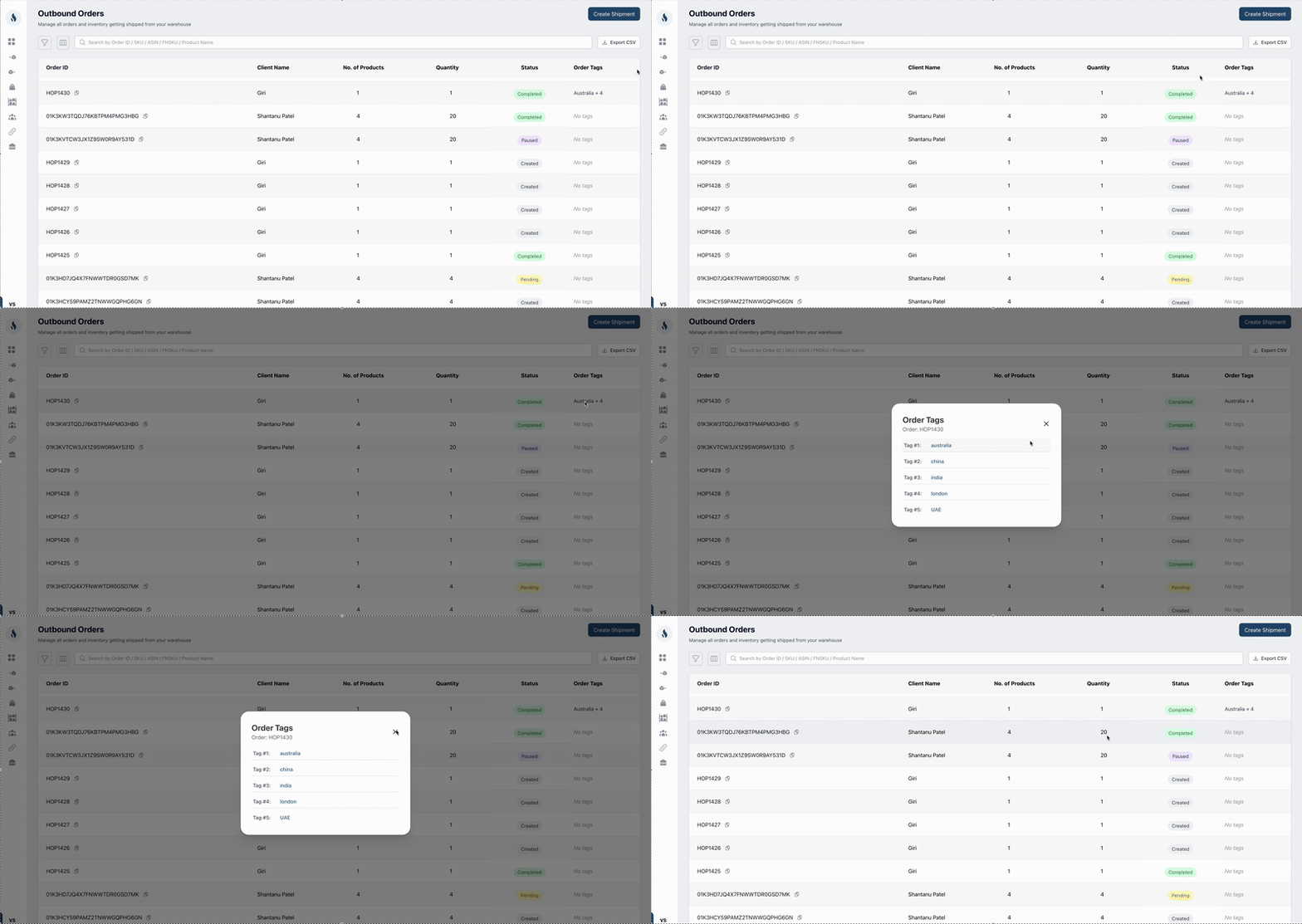
We’ve added support for Shopify Order Tags in the DTC fulfillment workflow.
-
If a Shopify merchant uses order tags to pass on special instructions or notes, these tags will now flow directly into Ignite.
-
Tags are visible on both the outbound orders and the fulfillment view, ensuring important context is never missed during order processing.
Prerequisite
-
Shopify integration must be connected to your account.
-
Order tags will automatically sync with inbound orders once integration is active.
Minor UX Improvements
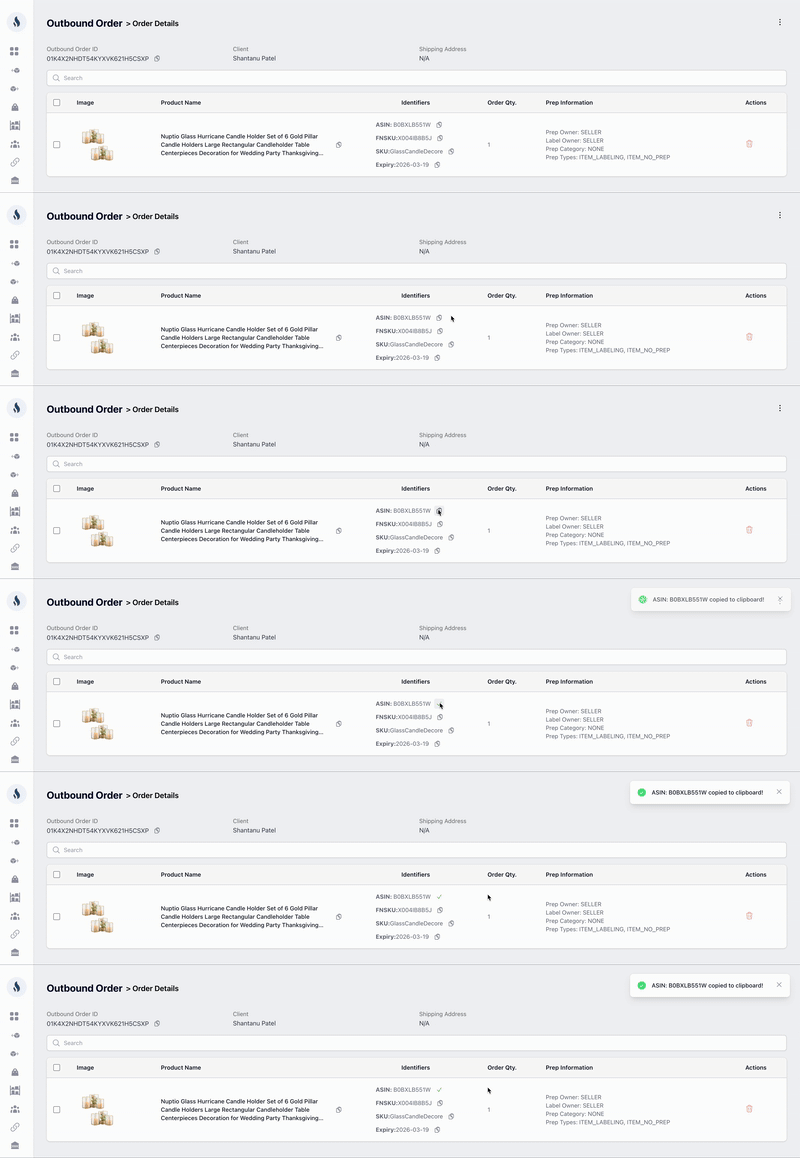
Copy-to-Clipboard
-
Added one-click copy for key details across list and detail views.
-
Makes sharing IDs and references quicker, without manual copy-paste.
Editable Expiry Dates
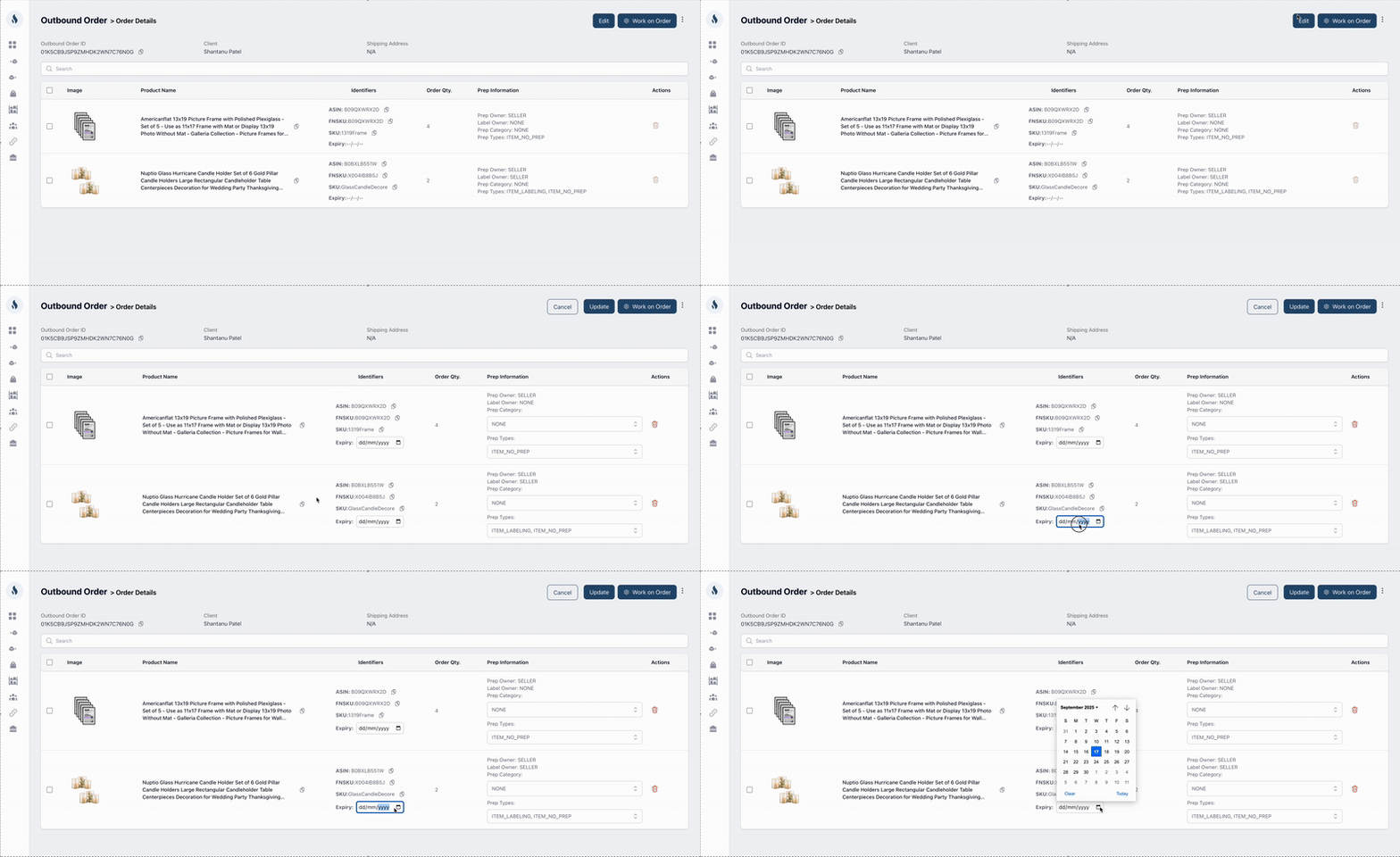
You can now update expiry dates at the order level if they were missed during receiving (for products already in the warehouse and not received through Ignite).
Client Filter Quick Search
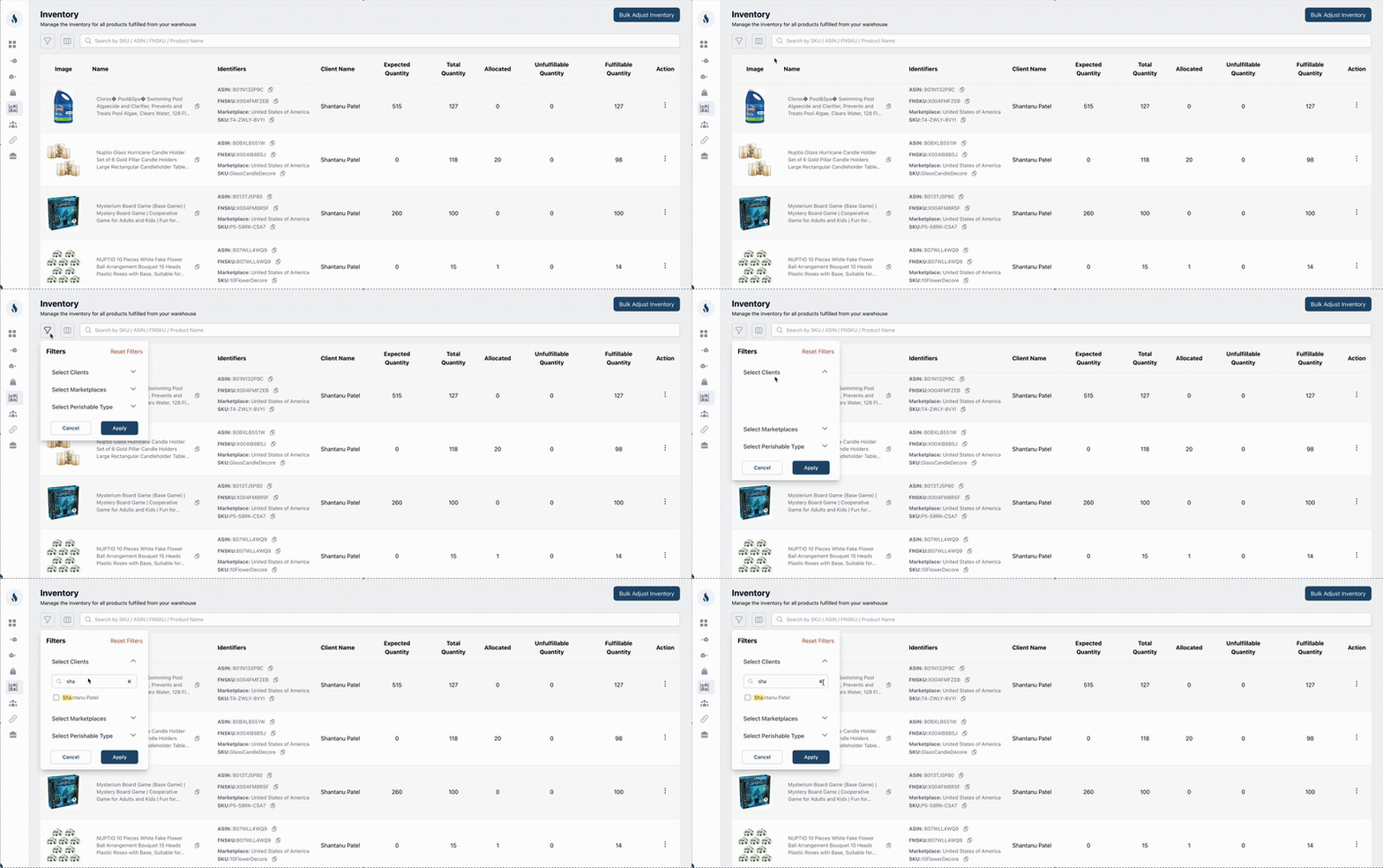
Introduced a quick search inside the client filter to make it easier to navigate when managing multiple clients.